Training Data Surveying and Filtering
Topic models can be used for learning the composition of large training sets, that will be used to train large language models. This is both useful because one gains rough understanding of the topic distributions in a dataset, and one can filter the dataset using the fitted topic model.
In this example I outline how you can use SensTopic with model merging and a DistributionLearner to learn topics from the first 1 million documents of FineWeb-Edu, which is a popular high-quality dataset for language model training.
Setup
You will have to install turftopic with conjugate-models and other dependencies for data loading, plotting etc.
pip install turftopic[conjugate]
pip install jax # this is not strictly necessary, but provides better performance
pip install plotly pandas datasets
Main script
The main script trains a SensTopic model on the fineweb-edu dataset with a batch size of 5000 documents. We use a static word embedding model as the encoder, thereby making the script much faster than if we were to use a transformer model.
The script also includes topic importance learning, speed tracking (documents per second), progress tracking and a plot that displays the topics with their keywords and relative importance.
import time
from itertools import islice

from datasets import load_dataset
from tqdm import tqdm
import numpy as np
import pandas as pd
import plotly.express as px

from turftopic import SensTopic
from turftopic.distribution_learning import GaussianDistributionLearner
from sklearn.manifold import TSNE

BATCH_SIZE = 5000
ds = load_dataset("HuggingFaceFW/fineweb-edu", split="train", streaming=True)

batches = ds.batch(batch_size=BATCH_SIZE)
# I'll cap the number of batches, so that we only process roughly 1M documents
# You should obviously remove this if you want to process the entire dataset
N_BATCHES = int(1_000_000 // BATCH_SIZE)
batches = islice(batches, N_BATCHES)

start_time = time.time()
# Initializing the model
model = SensTopic(
    "auto",
    sparsity=5.0,
    # We will use a word embedding model for faster processing
    encoder="sentence-transformers/average_word_embeddings_glove.6B.300d",
    random_state=42,
)

# This class will learn how important each topic is using Bayesian updating.
importance_learner = GaussianDistributionLearner()

# We will display the DPS (documents-per-second) for each batch, so we can track speed
progress = tqdm(total=N_BATCHES, desc="Processing batches (DPS=?)")
for i_batch, batch in enumerate(batches):
    batch_text = list(batch["text"])
    batch_start_t = time.time()
    # We will use an asymmetric merge (topics from the first model are kept intact)
    batch_doc_topic = model.partial_fit_transform(
        batch_text, merge_method="asymmetric_mean"
    )
    # Update our topic importance scores with batch doc-topic matrix
    importance_learner.update(batch_doc_topic)
    # Calculate batch documents per second
    batch_end_t = time.time()
    elapsed_s = batch_end_t - batch_start_t
    dps = len(batch_text) / elapsed_s
    progress.set_description(f"Processing batches (DPS={dps:.2f})")
    progress.update(1)
progress.close()
end_time = time.time()
model.print_topics()

# Save our model to disk
model.to_disk("fineweb_edu_1m")

# Roughly 30 min on my laptop
print((end_time - start_time) / 60)

# This is just to produce a nice plot
tsne = TSNE(2, metric="cosine")
topic_pos = tsne.fit_transform(model.decomposition.components_)
tsne = TSNE(1, metric="cosine")
color_pos = tsne.fit_transform(model.decomposition.components_)
topic_size = np.array([post.mu for post in importance_learner.posteriors])
topic_size = 25 * (topic_size / np.max(topic_size))
topic_df = pd.DataFrame(
    dict(
        x=topic_pos[:, 0],
        y=topic_pos[:, 1],
        name=model.topic_names,
        keywords=model.get_top_words(),
        size=topic_size,
        color_pos=color_pos[:, 0],
    )
)
fig = px.scatter(
    topic_df,
    x="x",
    y="y",
    size="size",
    size_max=80,
    color="color_pos",
    color_continuous_scale=px.colors.cyclical.Phase,
    template="plotly_white",
    width=800,
    height=800,
)
fig = fig.update_coloraxes(showscale=False)
for index, row in topic_df.iterrows():
    keys = row["keywords"]
    text = "<br>".join(keys[:4])
    font_size = max(int(row["size"]), 1)
    fig.add_annotation(
        x=row["x"],
        y=row["y"],
        text=text,
        font=dict(size=font_size),
        showarrow=False,
        yshift=0,
    )
fig.show()
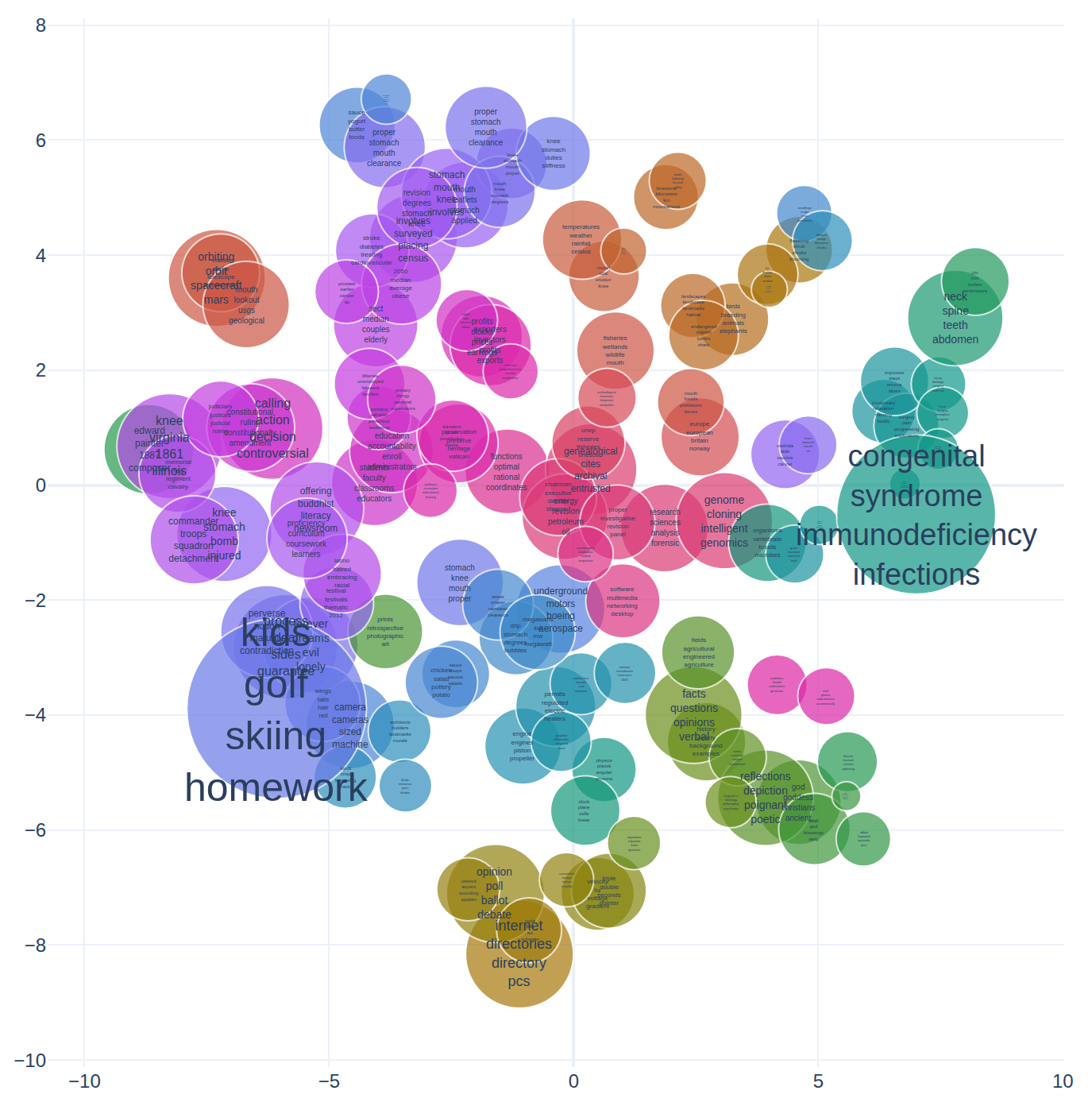
Filtering
You can use the above-developed script for filtering out documents either by thresholding or excluding documents that have a certain dominant topic.
new_documents: list[str] = [...]
doc_topic = model.transform(new_documents)

# Filtering out documents where topic 2 is over 0.01 in importance
filtered_docs = [doc for topic_value, doc in zip(doc_topic[:, 2], new_documents) if topic_value < 0.01]